Overview
The Project Administration module allows project administrators to update key details and configurations for an Alluvial project.
It is used to manage project-level settings such as editable project information and active status.
Getting Started
Open Project Administration
- From the project dashboard, select Administration in the left-hand navigation menu.
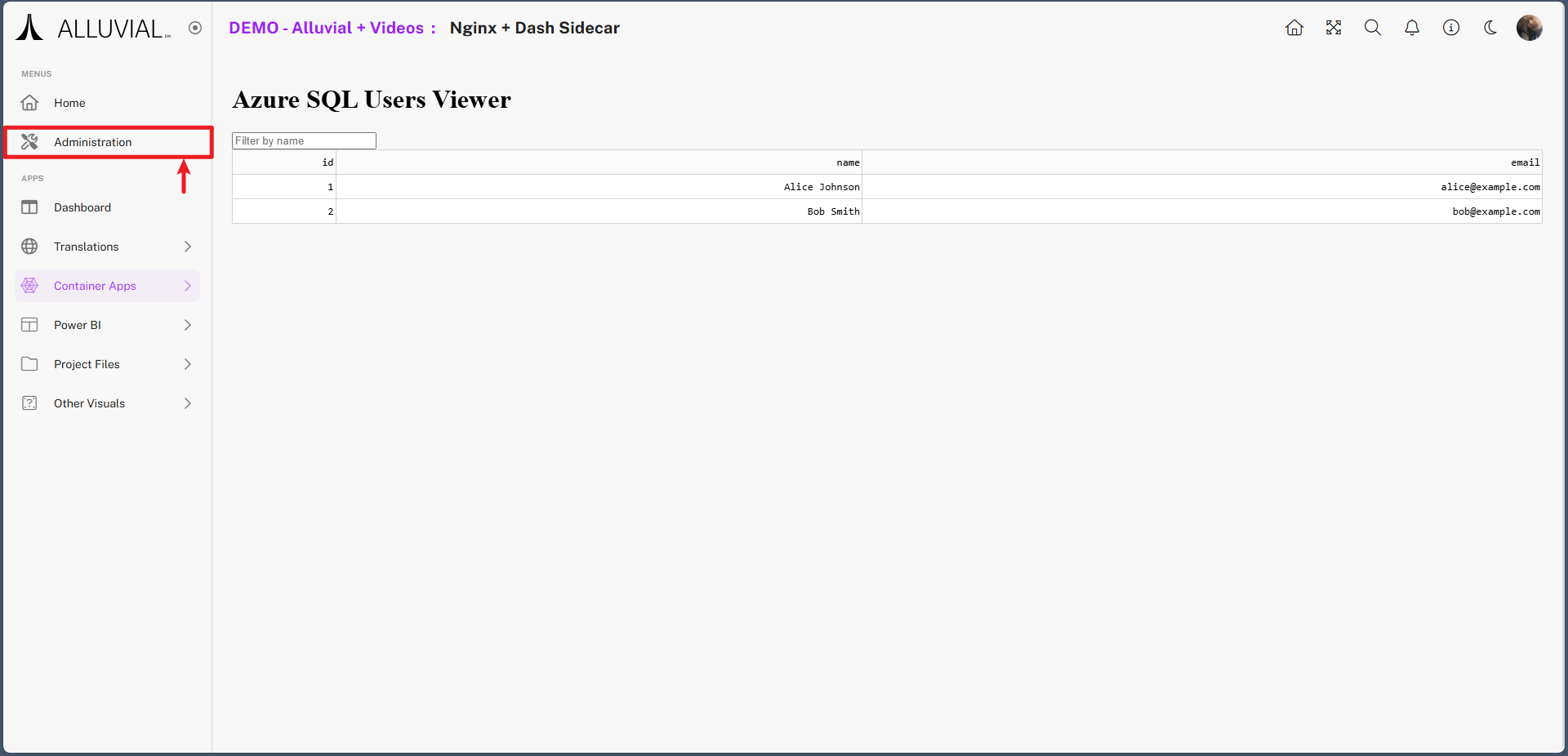
- The Administration page displays several administrative modules.
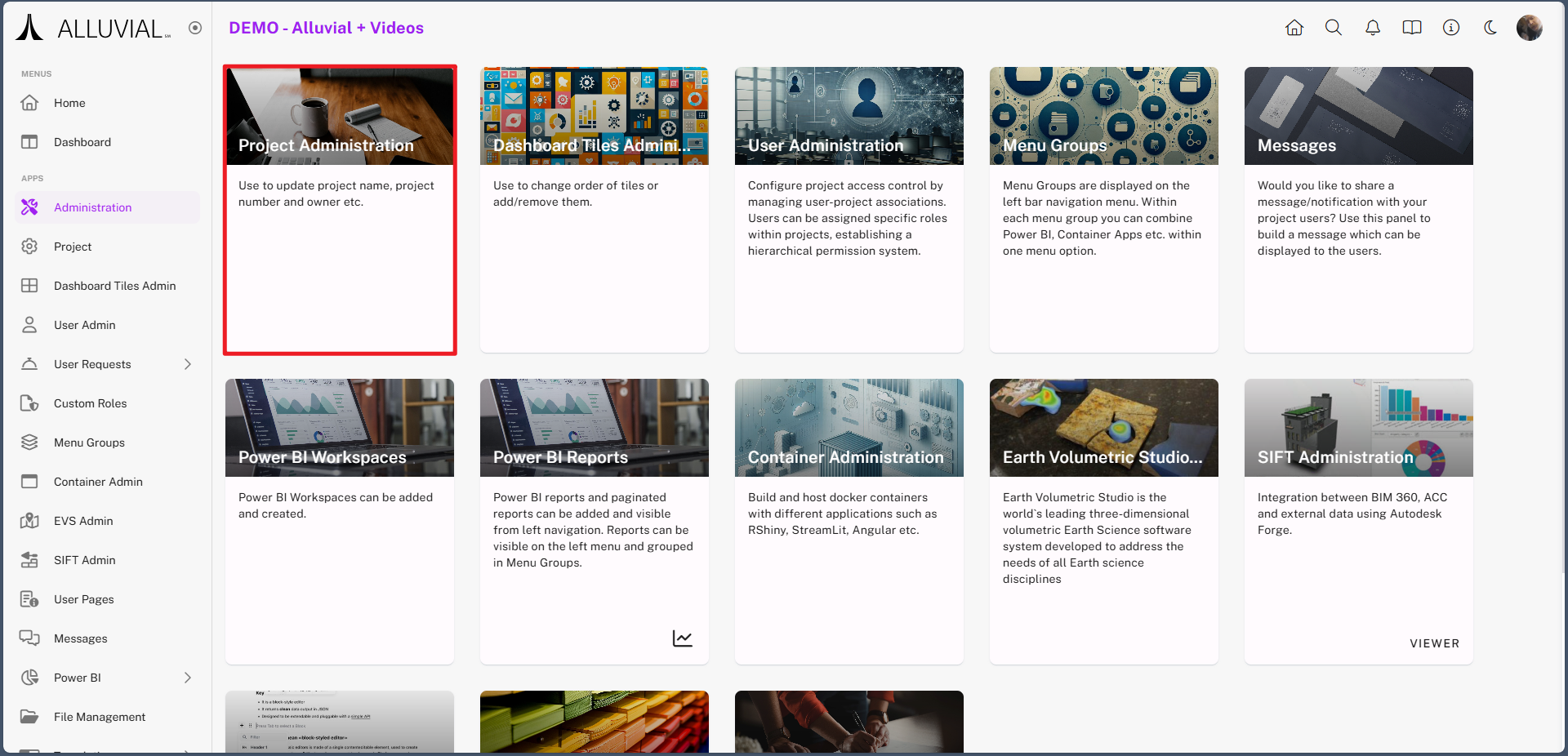
- Click Project Administration to open the Project Details form.
Core Concepts
Project Details Form
The Project Details form contains the editable settings available for your project. The specific fields and options may vary depending on your permissions and platform configuration.
Active vs. Inactive Projects
The Is Active setting controls whether the project remains active in Alluvial. Setting this value to No effectively archives the project within the platform.
Common Tasks
Update Project Details
- Open the Project Details form.
- Review and update the available project fields as needed.
- Save the form to apply your changes.
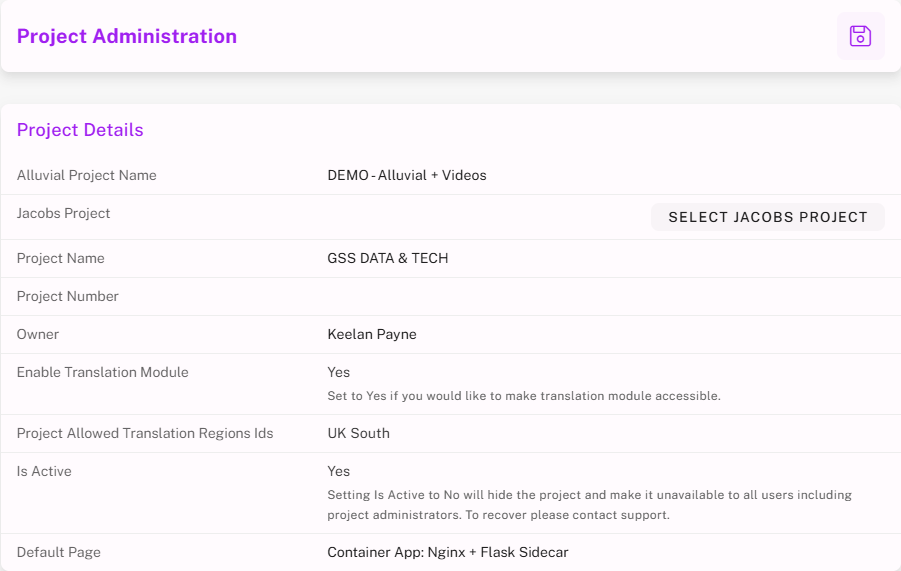
IMPORTANT: Adjust project information here as needed. The available fields and settings may vary depending on your permissions and platform configuration.
Once saved, your updates will be reflected across the project, ensuring that administrative information is current and accurate.
Archiving Projects
- In the Project Administration module, set the Is Active field to No.
- Save the form.
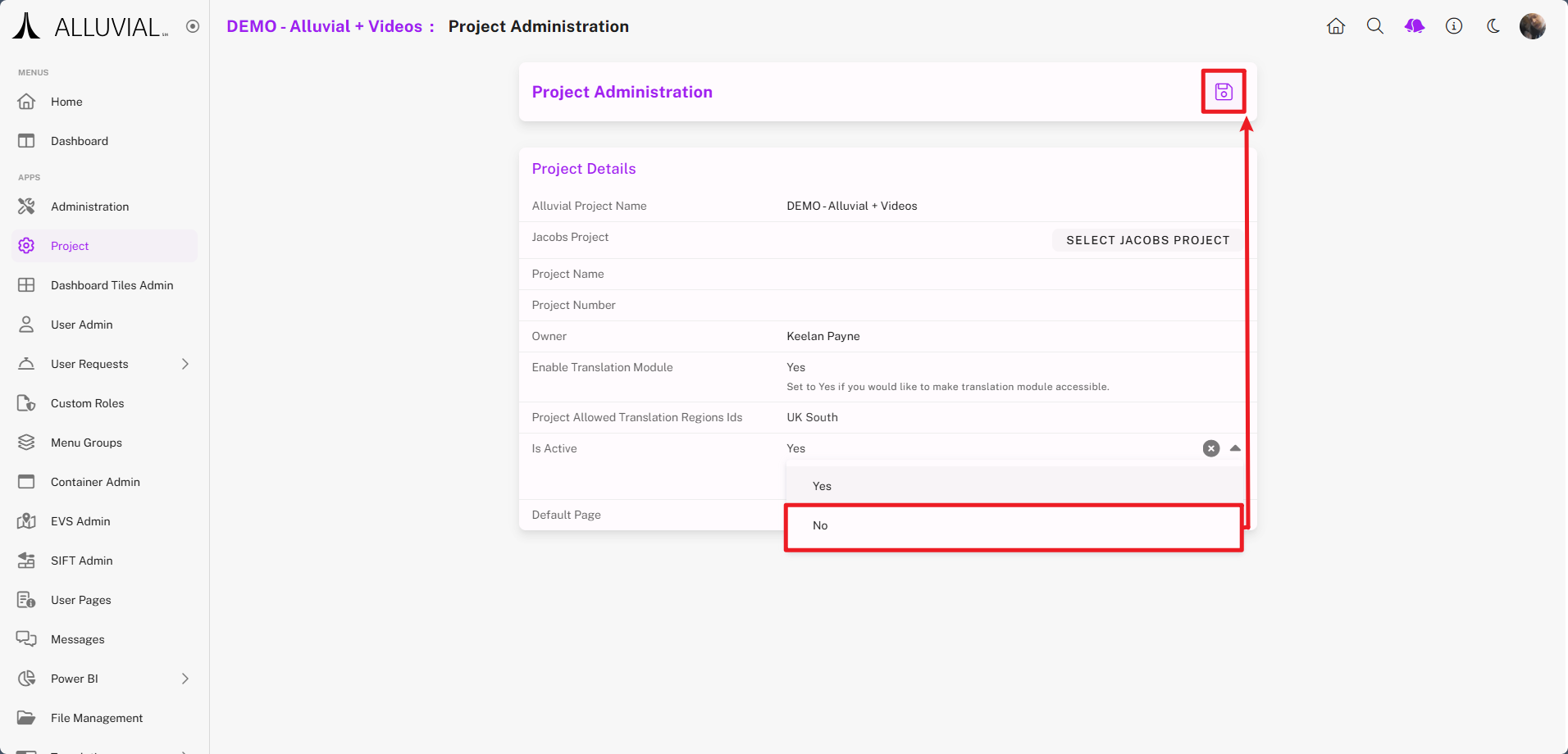
Any associated Power BI workspace created through Alluvial will remain intact. An administrator may delete it if necessary.
IMPORTANT: When a project is marked as inactive in Alluvial, access is automatically restricted unless specific permissions were granted earlier. There is no risk in leaving the Power BI workspace and its published content as-is.